
Making AI-assisted incident reporting easier to trust.
Expanding a basic chatbot concept into a guided reporting experience, with form prefilling, contextual help, and clearer ways to review AI assistance.
Senior product designer · AI interaction & conversation design
Occasional incident reporters & risk teams
Proof-of-concept review, journey and dialogue mapping, guided forms & knowledge-support concepts
AI interaction design · Conversation design · Enterprise UX
A closer look at the problem.
Protecht’s risk software relies on incident reports from employees who rarely file them and may be stressed by what happened. They struggled to pick the right form and fill unfamiliar fields. Adding AI raised a new question: how do people see and correct what it did?
Where I made a difference.
- Reviewed the chatbot proof of concept as an occasional, stressed reporter
- Mapped the reporting journey and developed conversation flows
- Designed guided forms and knowledge-support concepts
- Prioritized fixes by severity, frequency, impact, and effort
Understanding the problem, exploring the direction.
- Review the concept as an occasional reporter. The original chatbot gave little orientation — what to ask, how far along you were, what the AI had done — and field-by-field prompts stretched a stressful task.
- Map where help is needed. Findings grouped into guidance, progress, transparency, and control, mapped to the moments people needed help.
Turning insights into designs.
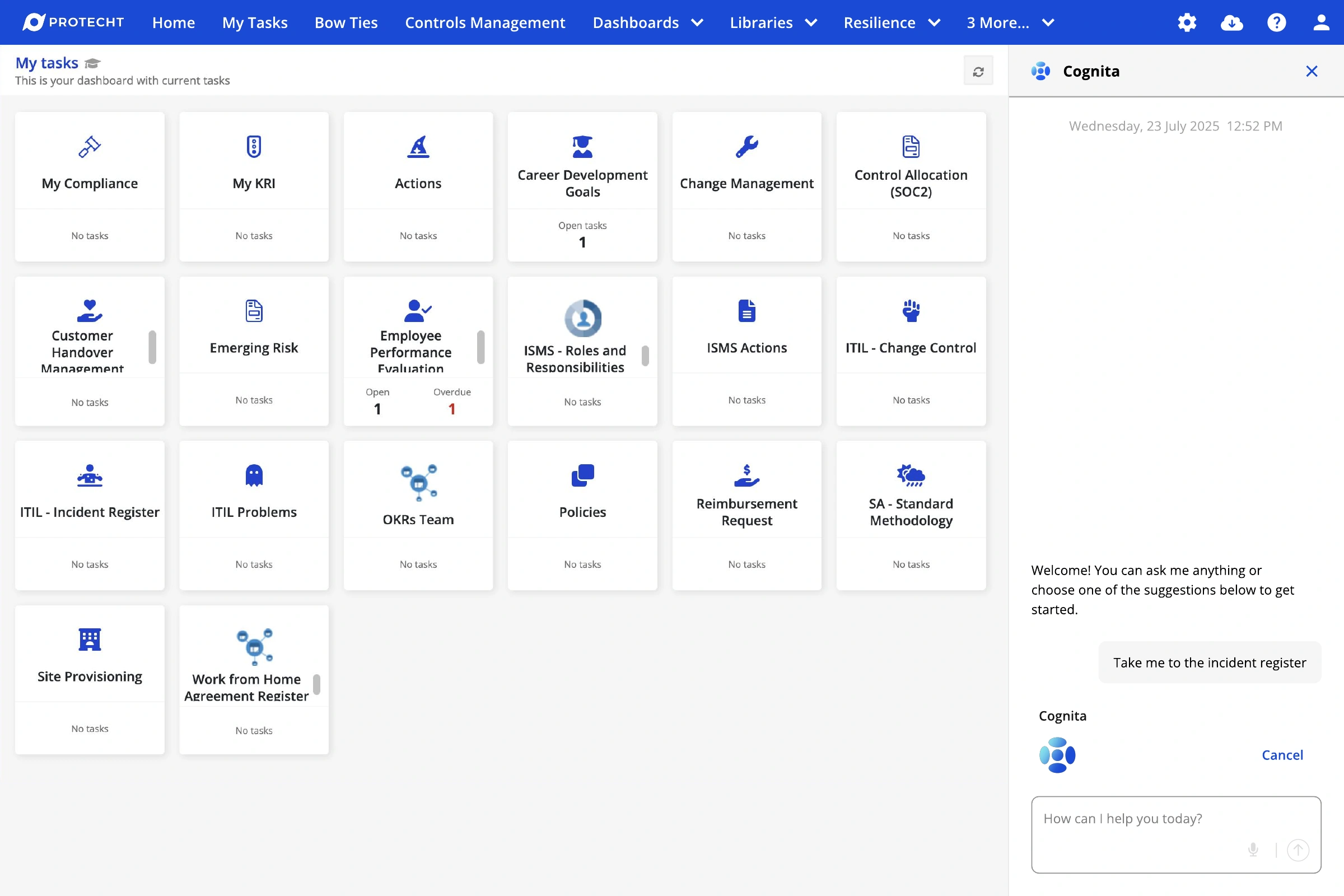
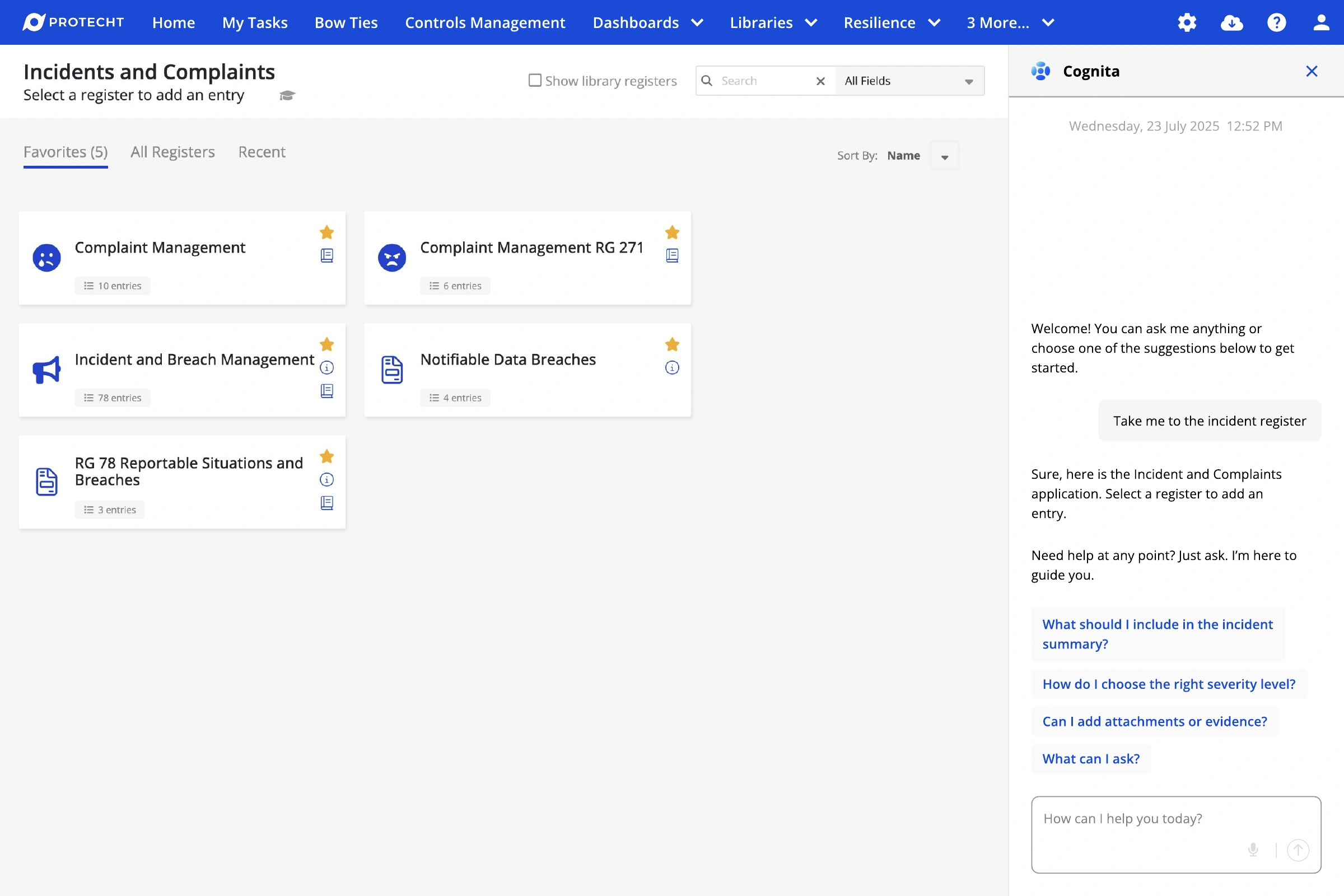
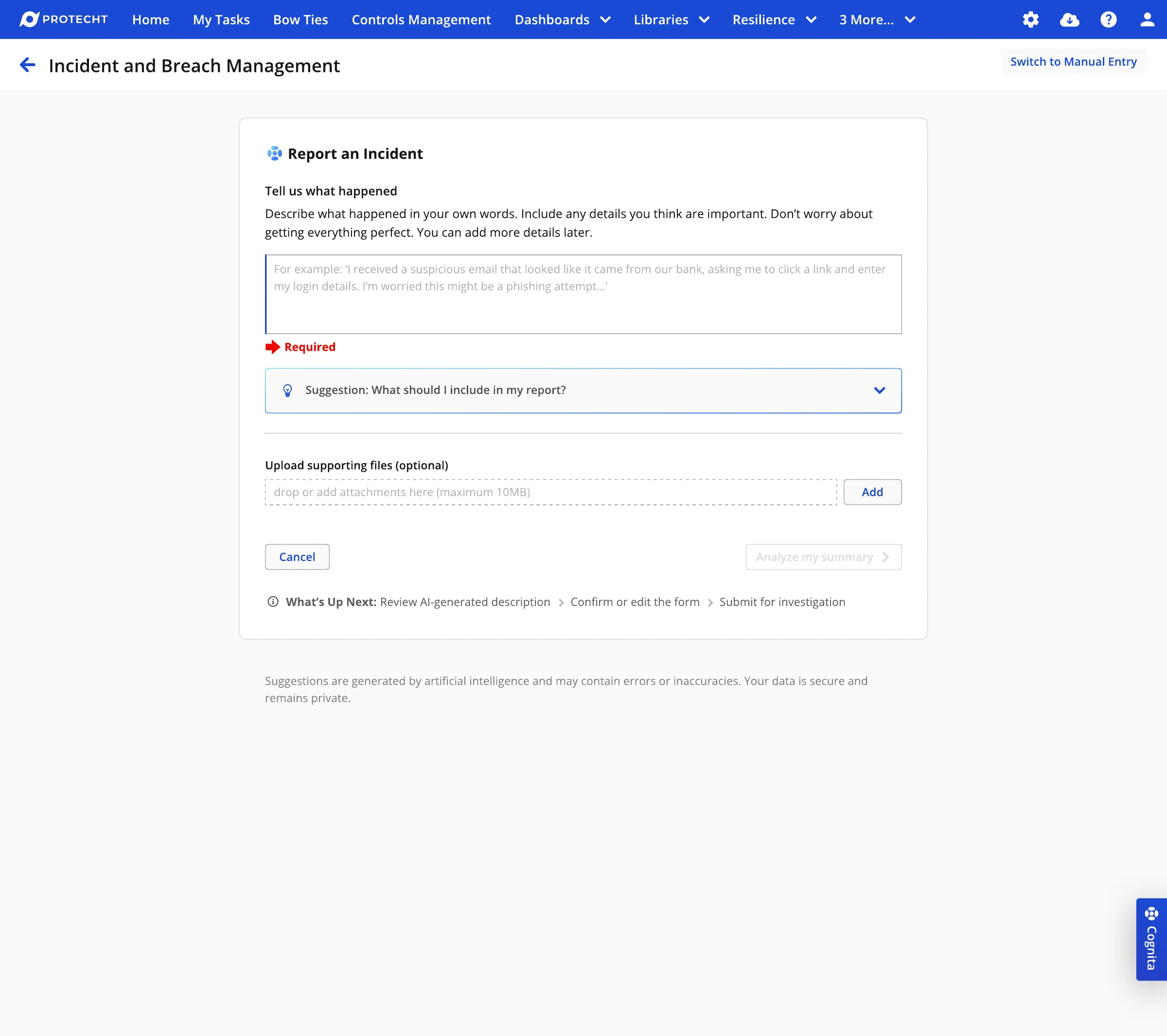
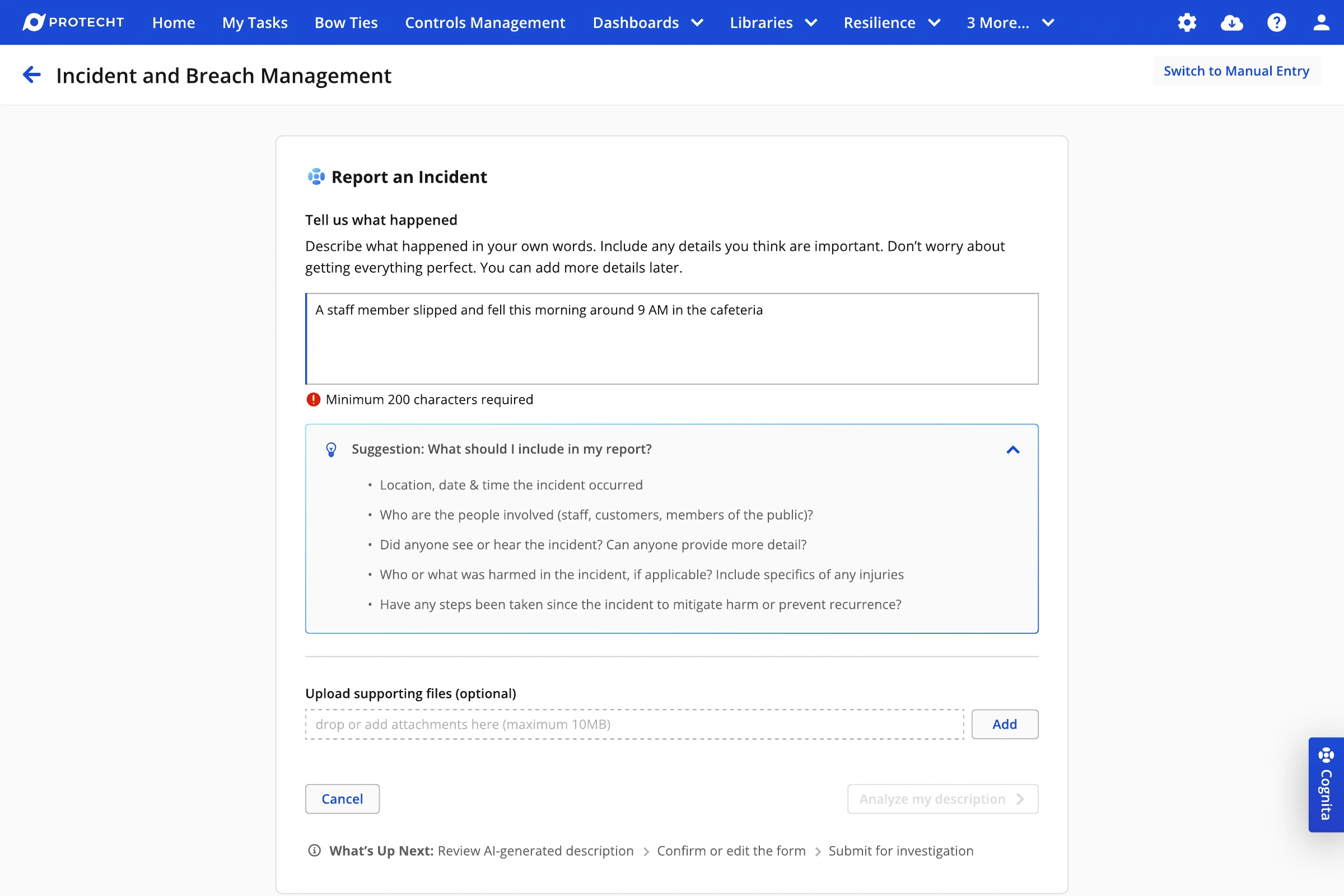
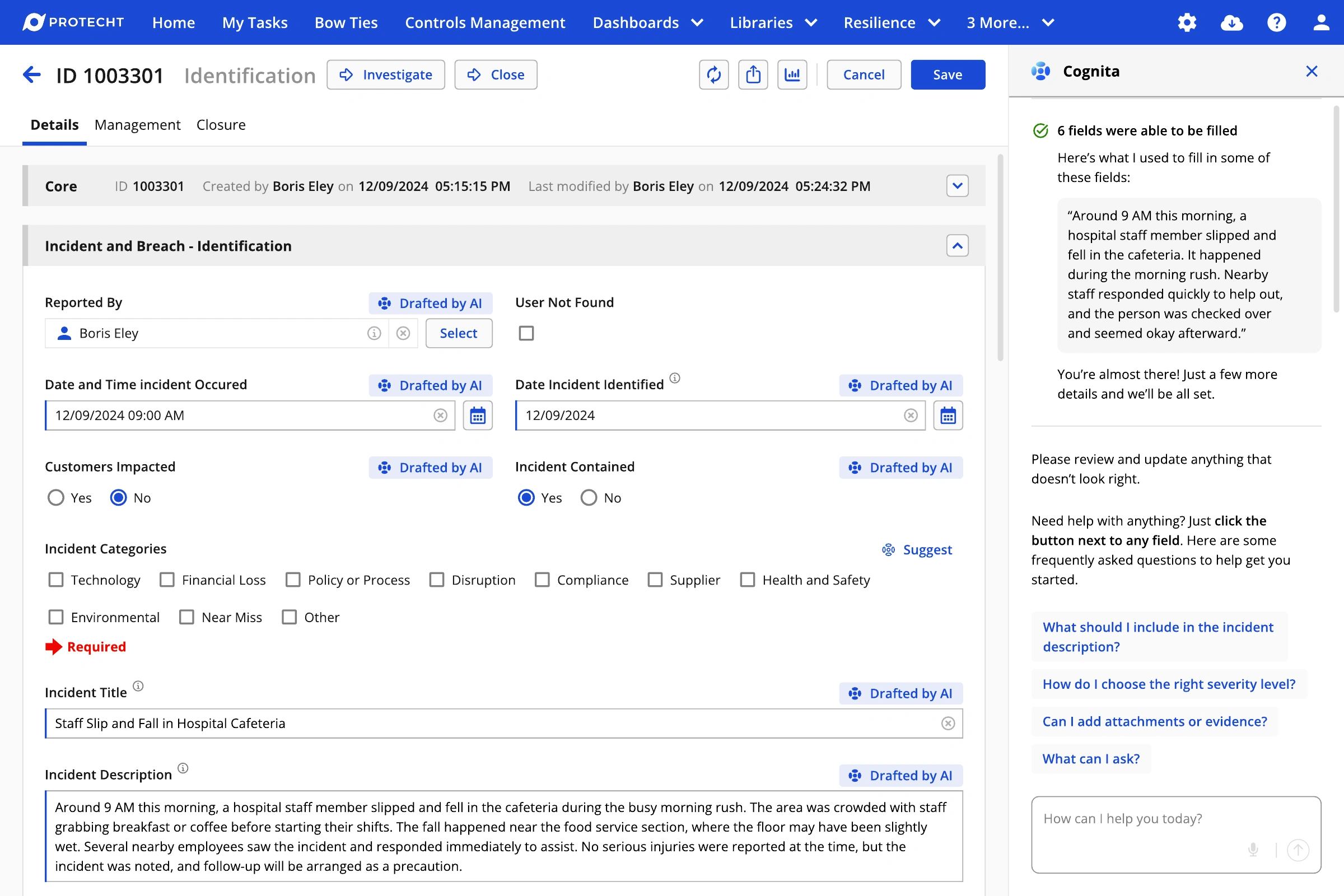
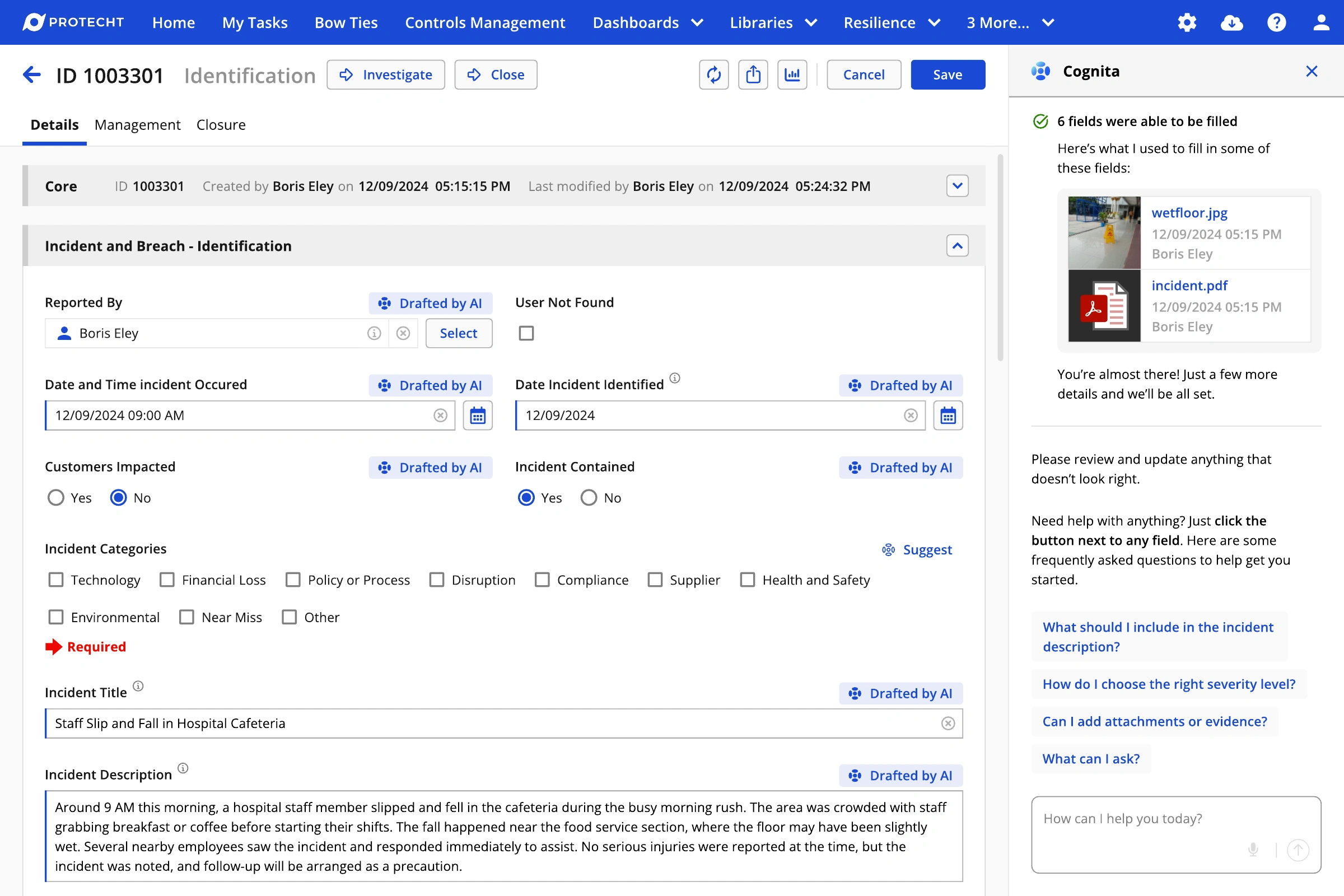
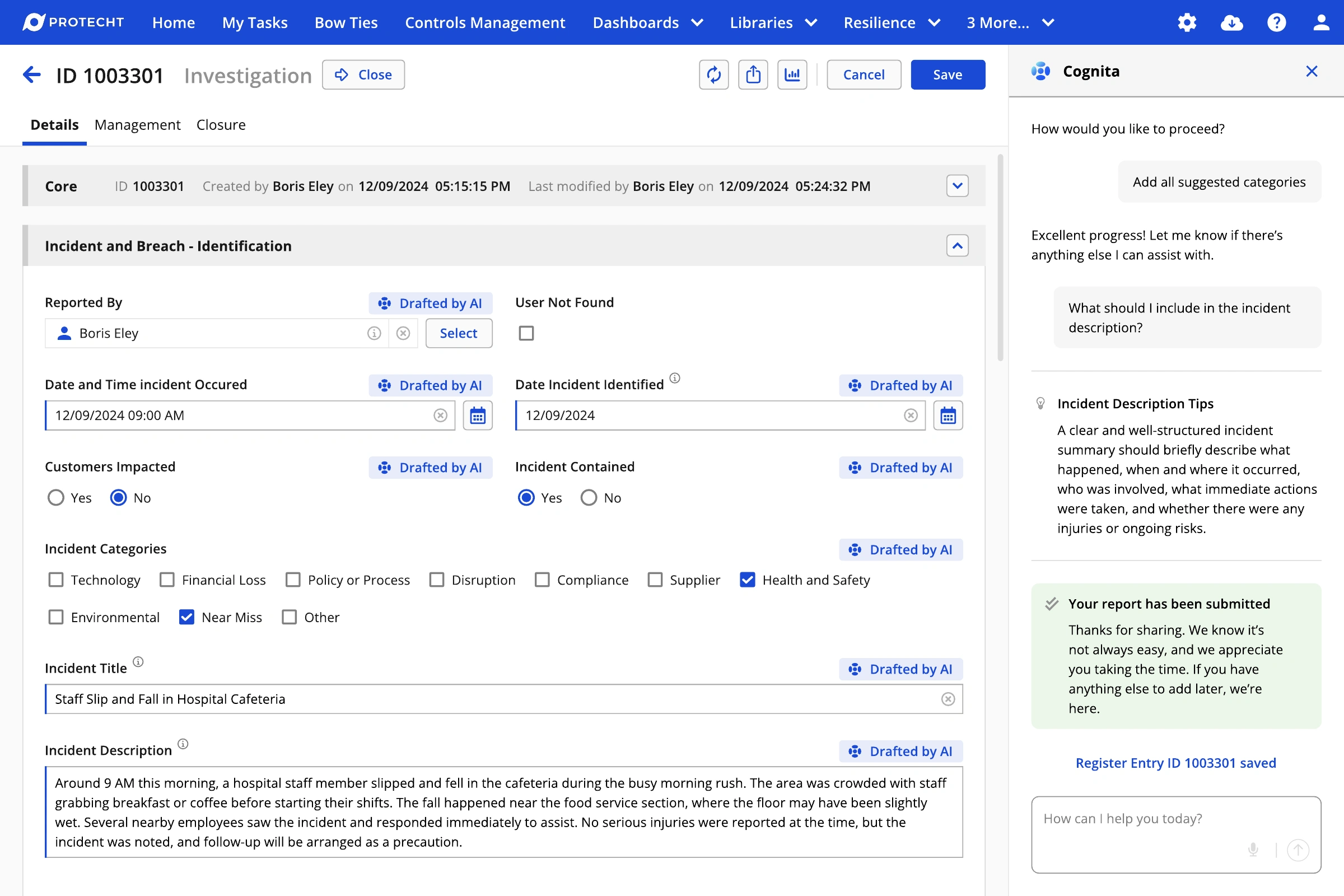
Cognita guides reporters from everyday tasks to the right incident register, then helps them describe what happened in their own words. Expandable suggestions clarify what to include; AI-drafted fields show the description or attachments used, keeping review and correction with the reporter before a clear submission confirmation.
Future state: where AI assistance could go next
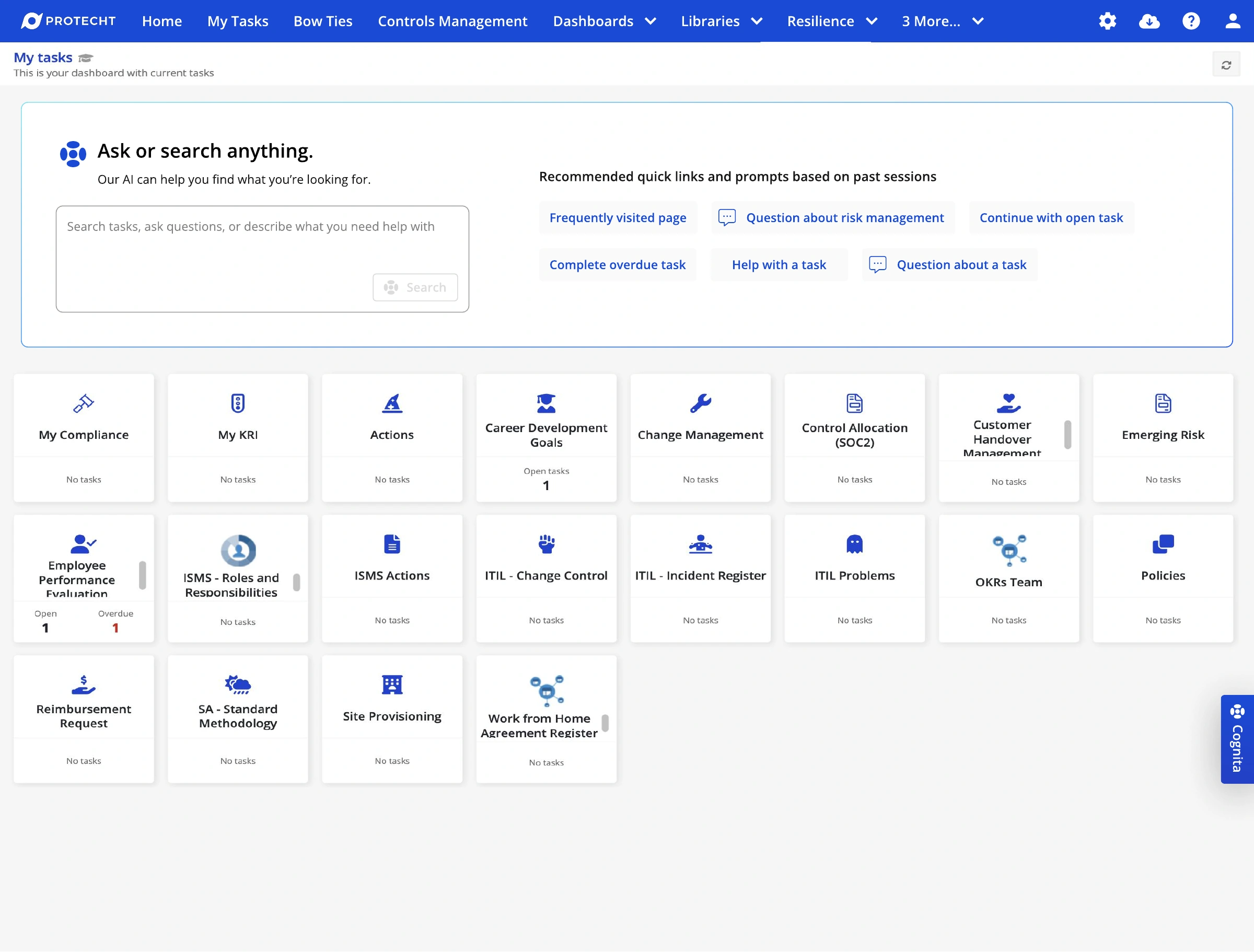
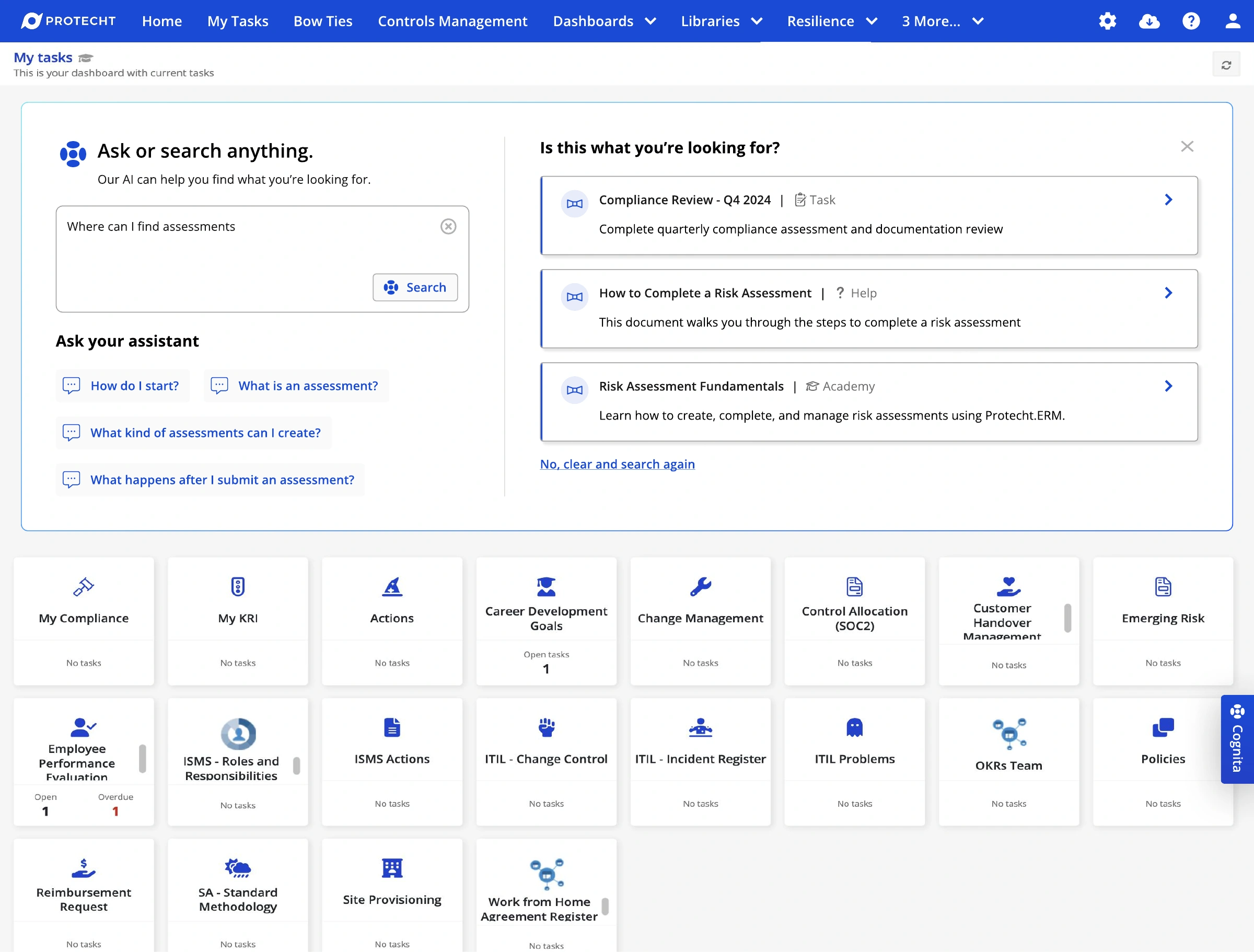
Beyond the reporting flow, I explored where AI assistance could go next. These are proposed concepts, not shipped features: an inline review experience for AI-filled fields, a summary that keeps provenance visible after submission, and AI-powered search on the task dashboard.
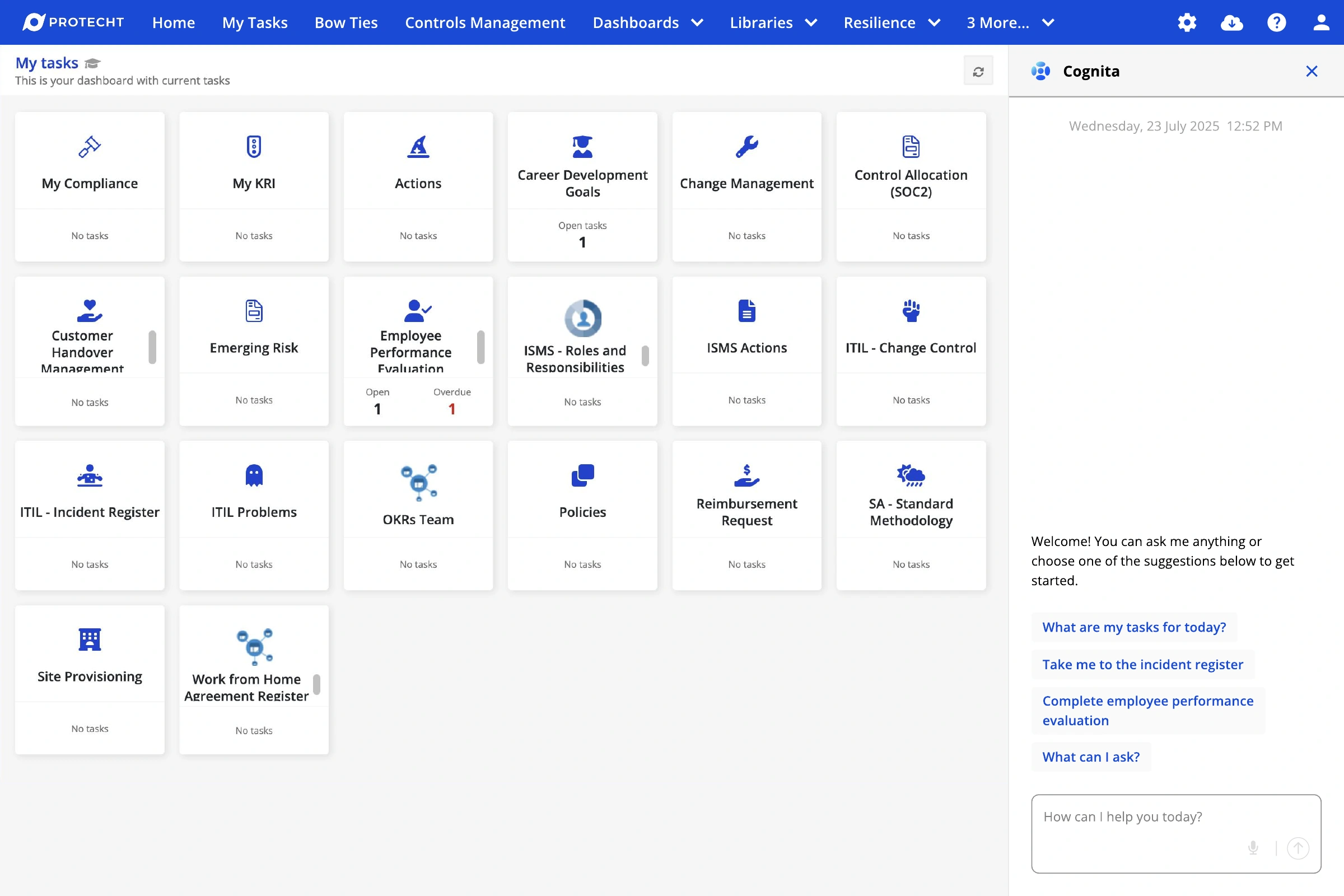
Search starts from the task dashboard with suggested prompts, then brings together relevant tasks, help, and learning resources while keeping the assistant available for follow-up questions.
What changed. What stayed with me.
- Reporters did not know where to start.The concept starts with a plain-language account of the incident, then proposes a form and prefills it.
- Unfamiliar fields stretched a stressful task.Guided forms, contextual help, and progress feedback give reporters support without leaving the flow.
- AI changes were hard to inspect.Visible AI-filled and user-edited states, review, and undo make the proposed assistance understandable and reversible.
Design concept — completion time, data quality, and adoption have not been measured.
A note to carry forward
Good AI design turns capability into something people can understand and control — especially when they’re stressed.
Automation, with a person in control.
Connecting document review and lender-rule evaluations in one understandable workflow, with visible exceptions and a person responsible for the final review.